On this page
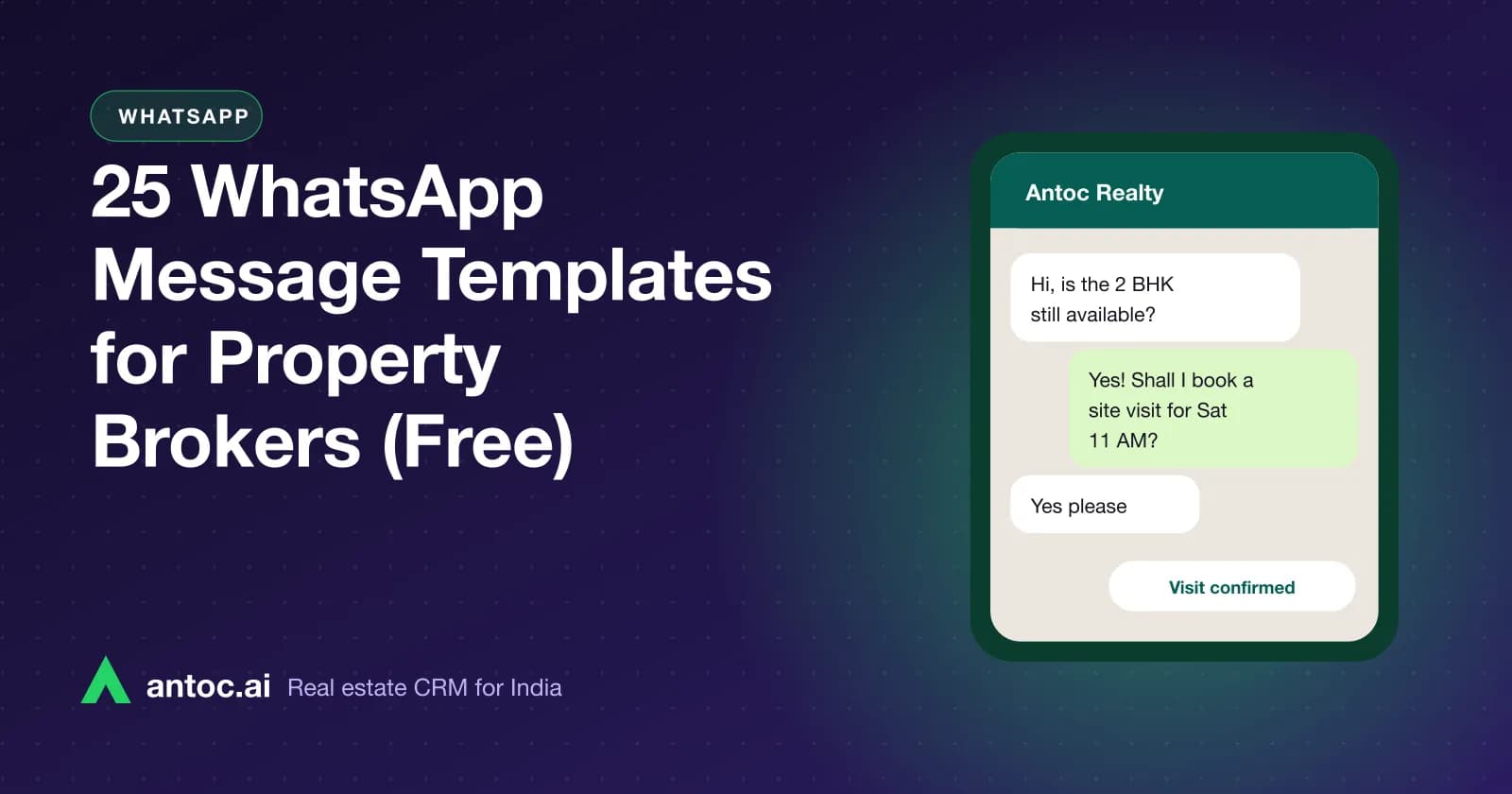
The best WhatsApp templates real estate brokers use are short, ready-made messages for each buyer stage: new enquiry, missed call, site visit, brochure, revival, booking and referral. Below are 25 free templates you can copy, each marked as utility-style or marketing-style so you know how Meta is likely to categorise it when you submit it.
This is for brokers and small agency teams who already chat with buyers on WhatsApp and want consistent, professional messages. It works whether you send by hand from the Business app or automatically through the official API.
Here are 25 copy-ready WhatsApp templates for brokers, grouped by stage from new lead to referral. Each is marked utility-style or marketing-style, so you know how Meta is likely to categorise it.
- Group templates by buyer stage so agents send the right message at the right time.
- Utility-style messages confirm a transaction; marketing-style messages promote or re-engage.
- Meta decides the final category, so write plainly and avoid hidden promotions.
- Trigger templates from CRM events so replies land on the lead timeline.
How to use these templates
Each template uses readable placeholders like {{name}}, {{project}} and {{agent}}. When you create them in the WhatsApp Business API, your provider may show variables as {{1}}, {{2}} and so on. The meaning is the same.
The labels below are a guide, not a guarantee:
- Utility-style: tied to something the buyer did or agreed to, like an enquiry, a booked visit or a requested brochure.
- Marketing-style: promotes a project, offer or event, or tries to re-engage a cold lead.
Meta reviews every template and decides the final category. If a utility template sounds promotional, Meta can reclassify it. Pricing also differs by category, so check Meta's current WhatsApp rates for India before you plan volumes.
| Group | Templates | When to send | Usual style |
|---|---|---|---|
| New lead | 1–4 | Within minutes of the enquiry | Mostly utility |
| Missed call | 5–7 | Right after an unanswered call | Utility |
| Site visit | 8–11 | Booking, day before, morning of | Utility |
| Post-visit | 12–14 | Same evening and two days later | Mixed |
| Price and brochure | 15–18 | When the buyer asks, or on a price change | Mixed |
| Cold revive | 19–21 | After 2–4 weeks of silence | Marketing |
| Booking | 22–23 | After token or booking | Utility |
| Referral | 24–25 | After booking or possession, festivals | Marketing |
New lead templates (1–4)
1. Instant welcome (utility-style)
Hi {{name}}, thanks for your enquiry on {{project}}. I'm {{agent}} from {{agency}} and I'll help you with details and a site visit. Is this a good number to call you today?
2. Agent introduction after assignment (utility-style)
Hello {{name}}, I'm {{agent}}, your contact for {{project}}. You can message me here anytime between 10 am and 8 pm. What configuration are you looking for: 1, 2 or 3 BHK?
3. Requirement check (utility-style)
Hi {{name}}, to share the right options for {{project}}, could you tell me your budget range and when you plan to buy? Reply in one line, for example: "70–80 lakh, within 3 months".
4. Project introduction (marketing-style)
Hi {{name}}, {{project}} in {{locality}} has {{configuration}} homes with {{highlight}}. RERA No: {{rera_number}}. Would you like the floor plans and a visit this weekend?
Missed call templates (5–7)
5. Missed your call (utility-style)
Hi {{name}}, I just missed your call. This is {{agent}} from {{agency}}. I'll call you back in a few minutes, or reply here with a time that suits you.
6. Couldn't reach you (utility-style)
Hi {{name}}, I tried calling about your enquiry on {{project}} but couldn't reach you. Is WhatsApp easier for you? I can share the details here.
7. Best time to call (utility-style)
Hello {{name}}, what is a good time for a 5-minute call about {{project}}? Reply 1 for morning, 2 for afternoon, 3 for evening.
Want to see this on your own leads? Book a free Antoc demo.
Site visit templates (8–11)
8. Visit confirmation (utility-style)
Hi {{name}}, your site visit to {{project}} is confirmed for {{date}} at {{time}}. {{agent}} will meet you at the site office. Reply YES to confirm or RESCHEDULE to change.
9. Morning-of reminder (utility-style)
Good morning {{name}}, a reminder of your visit to {{project}} today at {{time}}. Location: {{map_link}}. Call me on {{agent_phone}} when you are 10 minutes away.
10. Directions and parking (utility-style)
Hi {{name}}, here is the location for {{project}}: {{map_link}}. Visitor parking is at {{parking_note}}. Please carry a photo ID for the site entry register.
11. Reschedule (utility-style)
Hi {{name}}, no problem about today. Shall we move your {{project}} visit to {{option_1}} or {{option_2}}? Reply with the one that works.
These four are where templates matter most. A visit confirmed the evening before and reminded on the morning gets far fewer "sorry, something came up" messages than one booked on a call and never mentioned again.
Post-visit templates (12–14)
12. Thank you and feedback (utility-style)
Thanks for visiting {{project}} today, {{name}}. How did you find the {{unit_type}} we saw? Any question on price, payment plan or possession, just ask here.
13. Recap of the unit shown (utility-style)
Hi {{name}}, recap of what you saw: {{unit_type}}, {{carpet_area}} sq ft carpet, {{floor}} floor, {{facing}} facing. Price: {{price}}. Shall I check a similar unit on another floor too?
14. Family visit invite (marketing-style)
Hi {{name}}, many buyers bring family for a second look before deciding. Would your family like to see {{project}} this {{day}}? I'll keep the sample flat open for you.
Price and brochure templates (15–18)
15. Brochure share (utility-style)
Hi {{name}}, as requested, here is the {{project}} brochure: {{brochure_link}}. Page {{page}} has the {{unit_type}} floor plan. Shall I share the price sheet too?
16. Price sheet (utility-style)
Hi {{name}}, price details for {{unit_type}} at {{project}}: base price {{base_price}}, other charges {{other_charges}}, total approx. {{total_price}}. Final cost depends on floor and unit. Questions welcome.
Filled in, template 16 might read: "Hi Priya, price details for 2 BHK at Riverside Heights: base price ₹68 lakh, other charges ₹4.5 lakh, total approx. ₹72.5 lakh." These figures are only an illustration. Always use the developer's current price sheet, and never round down to look cheaper.
17. Payment plan explainer (utility-style)
Hi {{name}}, {{project}} has a {{plan_type}} payment plan. Booking amount: {{booking_amount}}. The balance is linked to {{milestones}}. Want me to share the full schedule?
18. Price change alert (marketing-style)
Hi {{name}}, a quick update: prices at {{project}} are being revised from {{effective_date}}. If you are still considering a {{unit_type}}, this week is a good time to visit.
Only send template 18 if the revision is real and confirmed by the developer.
Cold revive templates (19–21)
19. Still looking? (marketing-style)
Hi {{name}}, you enquired about homes in {{locality}} some time ago. Are you still looking, or have you finalised? Either answer helps, and I won't message again if you've bought.
20. New match (marketing-style)
Hi {{name}}, a {{unit_type}} within your {{budget}} budget just came up in {{locality}}: {{property_link}}. Shall I arrange a visit?
21. Weekend open house (marketing-style)
Hi {{name}}, we are hosting a site day at {{project}} on {{date}}, 10 am to 6 pm, with sample flat and loan desk. Reply VISIT and I'll block a time for you.
Booking templates (22–23)
22. Booking confirmation (utility-style)
Congratulations {{name}}! Your booking for {{unit_number}} at {{project}} is confirmed. Amount received: {{amount}}. Your receipt will follow. I'm here for any next step.
23. Documents checklist (utility-style)
Hi {{name}}, for your {{project}} booking please keep ready: PAN, Aadhaar, 2 photos, address proof and loan sanction letter if applicable. Share scans here or bring them on {{date}}.
Referral templates (24–25)
24. Referral ask (marketing-style)
Hi {{name}}, thank you for trusting us with your home at {{project}}. If a friend or relative is looking to buy, share their name and number here and I'll take good care of them.
25. Festival greeting with referral (marketing-style)
Happy {{festival}}, {{name}}, from all of us at {{agency}}! If anyone you know is planning a home this season, we'd be glad to help them the way we helped you.
How to get these templates approved on the WhatsApp API
- Set up the official WhatsApp Business API through Meta or a CRM that provides it, with a verified business.
- Create one template per purpose. Do not combine a visit confirmation with an offer.
- Choose the category you believe fits, utility or marketing, and pick the language.
- Add variables with realistic sample values, such as a real-looking project name and date.
- Submit for review, and fix and resubmit if Meta rejects or reclassifies it.
- Link each approved template to a trigger in your CRM, such as "new lead" or "visit booked".
For the full setup, including business verification and the 24-hour window, read our WhatsApp Business API setup guide for real estate. If a template is rejected, read Meta's reason, change only that part, and resubmit rather than starting from scratch.
Sending templates automatically from a CRM
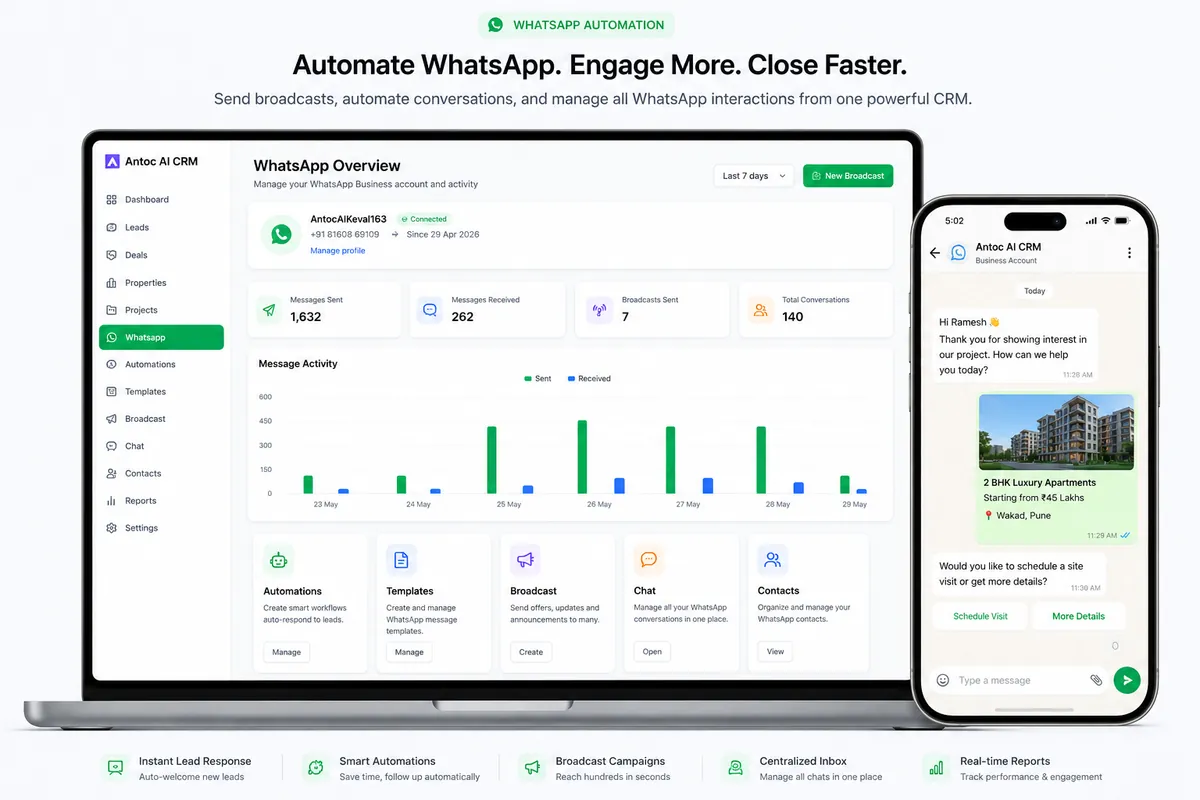
Templates save typing, but the bigger win is timing. Template 1 is most useful within minutes of the enquiry, and template 9 is only useful on the morning of the visit. Nobody remembers that for 200 leads.
With Antoc's WhatsApp automation, a welcome message can go out automatically when a new lead arrives, where the official API is enabled. Templates, broadcasts, chatflows and a shared inbox sit in one place, and every chat stays on the lead's timeline. You can see the wider setup on our WhatsApp CRM for real estate page.
Rules for writing your own templates
These 25 will not cover every situation. When you write a new one, test it against four rules.
- One purpose per template. A visit confirmation confirms the visit. Put the festive offer in a separate marketing template.
- Lead with the buyer's context. Name, project and the thing they asked about should appear in the first line.
- End with an easy reply. "Reply 1, 2 or 3" or "Reply YES" gets more answers than "Let me know your thoughts".
- No claims you cannot back. Avoid "guaranteed appreciation", "last unit" or "lowest price in the city" unless the developer has confirmed it in writing.
Read every new template aloud once. If it sounds like an advertisement when it should sound like a reply, rewrite it.
Common mistakes
- Sending marketing-style messages to buyers who never opted in to hear from you.
- Hiding an offer inside a utility template, which invites reclassification or rejection.
- Writing long paragraphs. Buyers read WhatsApp on the move; keep it to three lines.
- Leaving out the RERA number on project promotions where your state rules require it.
- Using the same "Hi sir/madam" opener when the CRM already knows the buyer's name.
- Blasting revival messages every few days instead of spacing them out.
- Sending price figures from memory instead of the developer's current sheet.
Make the templates your own
Copy the five you need most, usually 1, 5, 8, 9 and 15, and put them to work this week. Rewrite them in the tone your buyers expect, and add Hindi, Gujarati or Marathi versions if that is how your buyers talk.
Once they work, build the rest of your follow-up around them with Antoc's WhatsApp CRM for real estate, and pair them with the call scripts in our real estate lead follow-up guide.
Read next
Frequently asked questions
What is a WhatsApp template in real estate?
A template is a pre-approved message format that a business sends through the official WhatsApp Business API, usually to start a conversation or message a buyer outside the 24-hour service window. Brokers use them for welcome messages, site visit confirmations, brochure shares and follow-ups, with placeholders like the buyer's name filled in automatically.
What is the difference between utility and marketing templates?
Utility templates relate to something the buyer already did or agreed to, such as a booked site visit, a requested brochure or a payment update. Marketing templates promote, offer or re-engage, such as a new launch or festival offer. Meta reviews each template and can assign or change the category, so check Meta's current guidelines.
Do I need templates if the buyer messaged me first?
Within the 24-hour customer service window that opens when a buyer messages you, you can usually reply with free-form messages. Once that window closes, you need an approved template to restart the chat. Meta's rules change from time to time, so confirm the current policy in Meta's WhatsApp Business documentation.
Can I use these templates on the normal WhatsApp Business app?
Yes, as saved quick replies you send by hand. The Business app does not have approved templates, automation triggers or a shared team inbox in the way the API does. For a team handling many leads, the API with a CRM lets welcome messages and reminders go out automatically and keeps chats on each lead.
How do I add the buyer's name automatically?
In API templates, variables are written as placeholders and filled at send time. Your provider may show them as numbered values like {{1}} and {{2}} or as named fields. When the template is linked to your CRM, the name, project and agent fields come from the lead record, so agents do not type them.
Why does Meta reject real estate templates?
Common reasons include vague or missing sample values, a utility template that contains promotional wording, formatting problems with variables, and claims that look misleading. Keep each template to one clear purpose, give realistic sample values, and avoid promises about returns or prices you cannot support. Then fix and resubmit.
Bring one real lead source. We'll show you the floor.
Book a free demo and bring one source — Meta, 99acres or a CP WhatsApp group. We'll set it up on a lead in front of you.
We build Antoc for Indian brokers and developers, from Pasadi Technologies Pvt Ltd in Ahmedabad. These articles come from patterns we see on real sales floors.