On this page
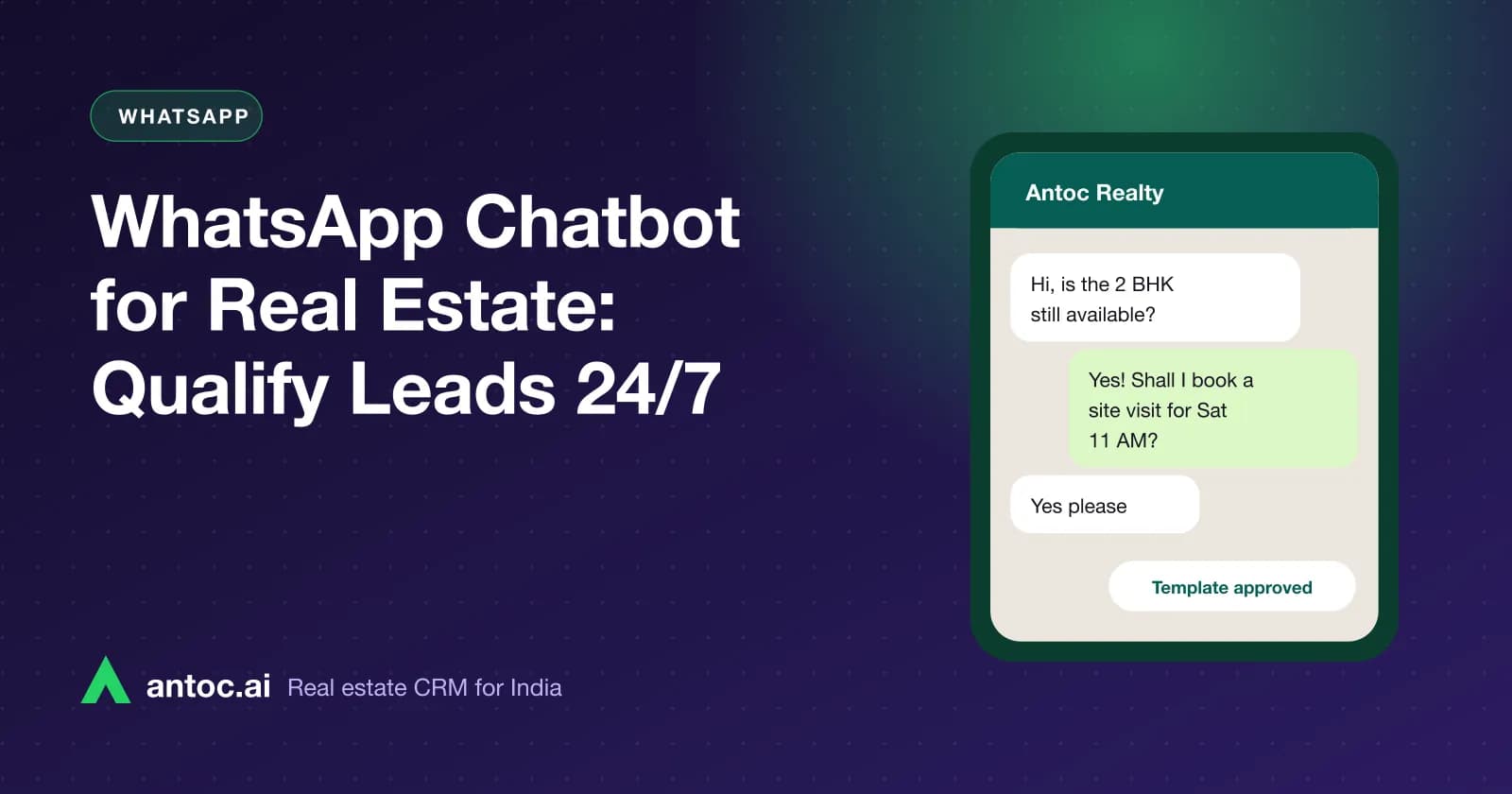
A WhatsApp chatbot for real estate greets every new property lead within seconds, asks a few qualifying questions such as budget, BHK, location and timeline, offers a site visit slot, and then hands the conversation to a human agent. It lets a small team respond to night and weekend enquiries without staff sitting on the phone 24 hours.
This guide is for brokers and developers who already get leads from portals, Meta ads or their website and want a simple bot that filters and books visits. You will get a ready flow, the questions to ask, hand-off rules and the mistakes that make buyers leave.
A WhatsApp chatbot for real estate greets every new lead instantly, asks five or six qualifying questions with buttons, offers a site visit slot and hands the lead to an agent. It works best when every answer is saved on the lead in your CRM.
- Keep the bot to six or seven questions, answered with buttons, not typing.
- Ask budget, BHK, location and timeline before offering a site visit slot.
- Always offer a clear 'talk to an agent' option at every step.
- Save each answer to the CRM lead so agents never re-ask questions.
Why a WhatsApp bot works for Indian property buyers
Indian buyers already live on WhatsApp. They send brochures to family groups, ask friends about localities and share location pins for site visits. A reply on WhatsApp feels normal; a reply by email often goes unread.
The bigger reason is timing. A buyer browsing portals at 11 pm enquires on several projects in one sitting. The first business that responds with something useful usually gets the conversation. A bot is not there to replace your agent. It is there to hold the buyer's attention until your agent wakes up.
A good bot does three jobs:
- Responds instantly to every new lead, at any hour.
- Collects the basics so your agent's first call starts at "Shall I book Saturday 11 am?" rather than "What is your budget?"
- Sorts leads so hot buyers reach an agent first and casual browsers get a brochure.
For the wider picture of using WhatsApp in your sales process, see our WhatsApp CRM for real estate guide.
What you need before building the bot
You cannot run a proper automated flow on the regular WhatsApp Business app. You need:
- The official WhatsApp Business API, set up through Meta directly or through a CRM or provider that offers it.
- A verified business and an approved display name on Meta.
- Approved message templates for anything you send outside the 24-hour customer service window.
- Opt-in from the buyer, for example a consent line on your ad form or website form.
- A CRM connection, so the bot's answers land on the lead record.
Our WhatsApp Business API setup guide walks through verification, templates and the 24-hour window step by step. Meta charges for conversations or messages by category; check Meta's current rates for India before you plan volumes.
The sample chatbot flow
Below is a flow that works for most new-project and resale enquiries. Keep each message short and use reply buttons or list menus wherever possible. WhatsApp limits how many buttons a single message can carry, so use a list menu when you have more options; check Meta's current documentation for the limits.
- Welcome (sent automatically when the lead arrives). "Hi {{name}}, thanks for your enquiry on {{project}}. I'm the {{company}} assistant. Can I ask 4 quick questions so our advisor can help you better?" Buttons: Yes, go ahead / Talk to an agent.
- Budget. "What budget are you considering?" List: Under ₹50 lakh / ₹50 lakh–₹1 crore / ₹1–2 crore / Above ₹2 crore.
- Configuration. "Which configuration are you looking for?" List: 1 BHK / 2 BHK / 3 BHK / 4 BHK or villa / Plot or commercial.
- Location. "Which area do you prefer?" List of 3–5 localities you actually serve, plus Open to suggestions.
- Timeline. "When are you planning to buy?" Buttons: Within 3 months / 3–6 months / Just exploring.
- Purpose. "Is this for your own use or investment?" Buttons: Self-use / Investment.
- Visit slot. "Would you like to see the project? Pick a slot." List of the next few available slots, plus Call me first.
- Hand-off. "Thank you, {{name}}. {{agent_name}} will call you {{time}}. Here is the brochure in the meantime." Assign the lead and trigger a reminder for the agent.
If the buyer taps Talk to an agent at any step, stop the bot immediately and route the chat to the shared inbox.
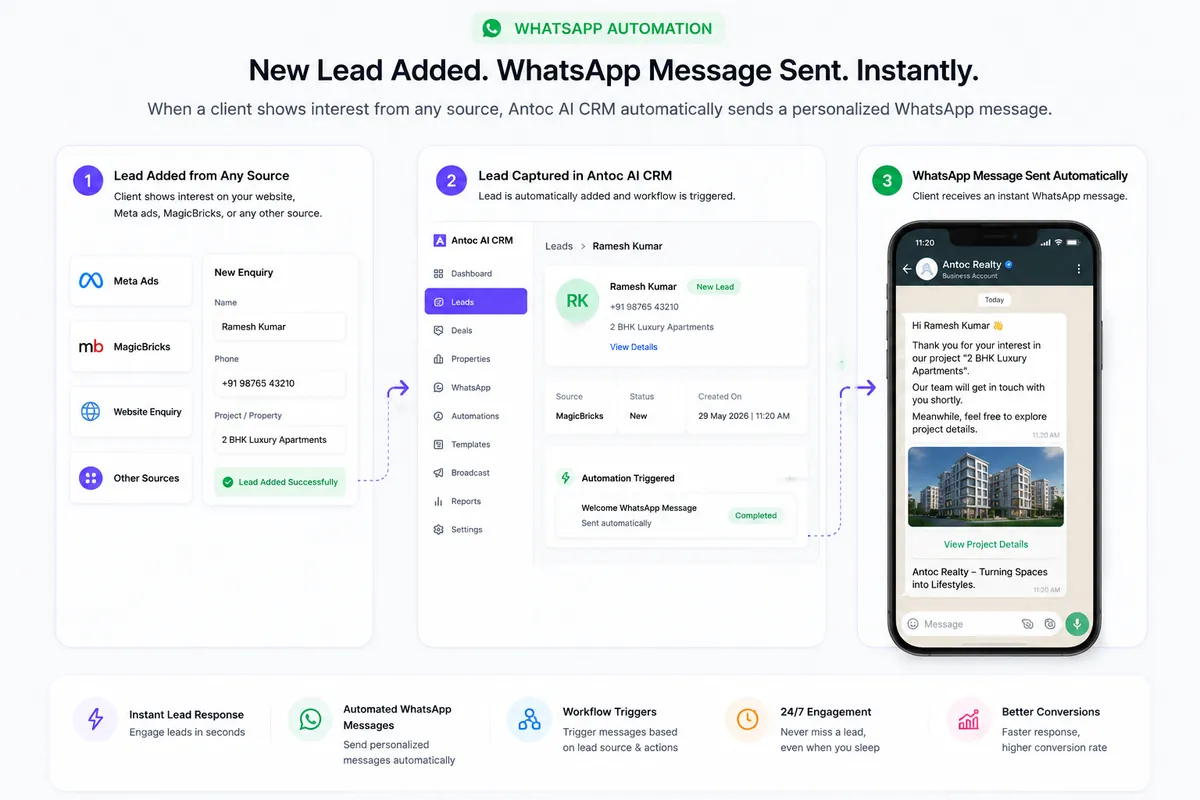
Want to see this on your own leads? Book a free Antoc demo.
Map every answer to a CRM field
A bot that collects answers but doesn't save them is just a fancy auto-reply. Each question should update a field on the lead so your agent, your reports and your follow-up rules can use it.
| Bot question | Answer format | CRM field | Why it matters |
|---|---|---|---|
| Budget | List of ₹ ranges | Budget range | Matches the lead to the right projects or units |
| Configuration | List (1 BHK to villa/plot) | Property type / BHK | Drives property matching and brochure choice |
| Location | List of your localities | Preferred location | Routes to the right agent or project team |
| Timeline | Buttons | Purchase timeline | Sets follow-up priority |
| Purpose | Buttons | Self-use / investment | Changes the pitch and the material you send |
| Visit slot | List of slots | Site visit date and time | Creates the visit and its reminders |
| Talk to agent | Button | Hand-off flag | Moves the chat to a human immediately |
Once the fields are filled, your CRM can match the lead to listings. In Antoc, lead and property matching sits alongside WhatsApp automation, so an agent can share a matching unit on WhatsApp from the lead itself.
Hand-off rules: when the bot must step aside
The hand-off is the most important part of the design. Write these rules before you switch the bot on:
- On request. "Talk to an agent" at any step ends the bot.
- On hot answers. Timeline "within 3 months" plus a budget that fits your inventory should go straight to an agent with a high-priority reminder.
- On typed questions. If the buyer types a real question ("Is there a clubhouse?", "Is the loan approved by SBI?"), route to a human. Don't let the bot guess.
- On silence. If the buyer stops replying mid-flow, don't send the next question repeatedly. Let a human follow up later with one message.
- During working hours. Consider a shorter flow, two or three questions, and a faster agent hand-off.
- After hours. Run the full flow and promise a specific callback time, then make sure someone keeps that promise.
Agents should see the full bot conversation on the lead timeline before they call. Nothing annoys a buyer more than answering the same budget question twice.
An illustrative example in ₹
The figures below are an example to show routing, not a forecast.
A developer in Pune has a project with 2 BHK units priced between ₹62 lakh and ₹78 lakh. Over a weekend, the bot qualifies new leads from Meta ads and portals.
- A lead picks ₹50 lakh–₹1 crore, 2 BHK, Within 3 months. The bot offers Saturday slots, the buyer books 11 am, and the lead is assigned to the project team with a visit reminder.
- A lead picks Under ₹50 lakh, 2 BHK. The budget does not fit the project. The bot thanks them, and the lead is tagged for the resale or other-projects team instead of taking a sales slot.
- A lead picks Just exploring. The bot sends the brochure and the lead goes into a slower nurture sequence.
The sales team starts Monday with a short list of booked visits and a clear priority order, instead of a long list of unknown numbers.
Writing bot messages that buyers answer
Tone matters as much as logic. Practical rules:
- Introduce the bot honestly: "I'm the {{company}} assistant", not a fake human name.
- Keep each message to one question and one or two lines.
- Use ₹ ranges and BHK terms buyers use, not internal codes.
- Give something back early, such as the brochure or the location pin.
- Offer Hindi or a regional language option if your buyers prefer it.
- Never ask for PAN, Aadhaar or income documents in the bot.
For ready-to-use wording, our 25 WhatsApp templates for property brokers include welcome, missed-call and site visit messages you can adapt.
Measuring whether the bot is working
Don't judge the bot by how clever it feels. Judge it by what happens to leads after it runs. Track these four numbers from your CRM each week, using your own data as the baseline:
| Metric | Formula | What it tells you |
|---|---|---|
| Completion rate | Leads who answered every question ÷ leads who got the welcome | Whether the flow is too long or confusing |
| Drop-off step | The question where most buyers stop replying | Which message to rewrite or remove |
| Visit booking rate | Visits booked through the bot ÷ leads who completed the flow | Whether the slot offer is clear and timely |
| Hand-off speed | Time from hand-off to first agent call | Whether your team keeps the bot's promise |
If most buyers stop at the budget question, try putting it later, after location. If buyers finish the flow but don't book visits, offer fewer, more specific slots. Change one thing at a time and compare the next week's numbers.
Running one bot across several projects
Developers and larger broker teams often run three or four projects at once. Two simple approaches work:
- One flow per project, triggered by the project the lead enquired about. The questions stay the same, but the budget ranges, BHK options and visit slots match that project.
- One common flow with a project question first, for leads from your website or a general number where the project isn't known.
Either way, the location and budget answers should route the lead to the right project team, not to whoever happens to be free.
How to launch the bot in one week
Day 1–2: Write the flow
Write every message and button in a shared document. Agree hand-off rules with your sales head.
Day 3: Set up templates and fields
Submit any templates needed for Meta approval and create the matching fields in your CRM.
Day 4: Test internally
Have five team members run through the flow on their own phones as different buyer types. Fix anything confusing.
Day 5–7: Go live on one source
Start with one lead source, such as Meta ads, and watch the first conversations daily before turning it on for portals and your website.
Common mistakes
- Too many questions. Ten-step flows lose buyers halfway; keep it to six or seven.
- Free-text questions. Typing on a phone is slow; use buttons and lists.
- No human exit. Buyers who can't reach a person leave the chat.
- Answers not saved to the CRM. Agents re-ask questions and look careless.
- Quoting unapproved prices or offers. The bot should never promise what isn't in writing.
- Messaging without opt-in. It risks blocks and hurts your number's quality rating.
- Promising a callback nobody makes. "Our advisor will call in 10 minutes" at midnight sets up a broken promise.
Getting started
A WhatsApp chatbot does not need to be clever. It needs to be fast, short and connected to your CRM so the human who takes over knows everything the bot learned.
Antoc offers official WhatsApp API automation where enabled for your account, including a welcome message on every new lead, templates, chatflows and a shared inbox, with chats saved on the lead timeline. Read the WhatsApp CRM for real estate overview to see how the bot fits with broadcasts, reminders and your daily reports.
Read next
Frequently asked questions
What is a WhatsApp chatbot for real estate?
It is an automated conversation on the official WhatsApp Business API that greets new property leads, asks qualifying questions such as budget, BHK and preferred location, offers site visit slots and passes the lead to a human agent. It works at any hour, so night and weekend enquiries get a reply within seconds instead of the next morning.
Do I need the WhatsApp Business API for a chatbot?
Yes, for a proper automated flow. The regular WhatsApp Business app offers simple greeting and away messages, but automated chatflows with buttons, routing and CRM sync run on the official WhatsApp Business API through Meta or an approved provider. Your business number, display name and message templates must be set up and approved by Meta.
What questions should a real estate WhatsApp bot ask?
Start with a welcome and the project name, then ask budget range, BHK or property type, preferred location, purchase timeline and whether it is for self-use or investment. Finish by offering site visit slots. Use buttons or list menus so buyers tap rather than type, and stop after six or seven questions.
Will buyers find a chatbot annoying?
They will if the bot is long, repeats questions or hides the human. Buyers generally respond better to a short, polite flow that gives them something useful, such as a brochure or a visit slot, and offers 'talk to an agent' at every step. Test your flow on your own team before sending it to real leads.
Can Antoc run a WhatsApp chatbot?
Antoc supports official WhatsApp API automation where enabled for your account, including a welcome message when a new lead arrives, templates, chatflows, broadcasts and a shared inbox. Chats stay on the lead timeline in the CRM, so the agent who takes over can see every answer the buyer gave the bot.
Should a chatbot quote prices or discounts?
Only approved, current price ranges, and preferably 'starting from' figures that match your price list. Do not let the bot quote discounts, offers or possession dates that are not in writing. Leave negotiation, final pricing and anything that needs judgement to the human agent who takes over the conversation.
Bring one real lead source. We'll show you the floor.
Book a free demo and bring one source — Meta, 99acres or a CP WhatsApp group. We'll set it up on a lead in front of you.
We build Antoc for Indian brokers and developers, from Pasadi Technologies Pvt Ltd in Ahmedabad. These articles come from patterns we see on real sales floors.