On this page
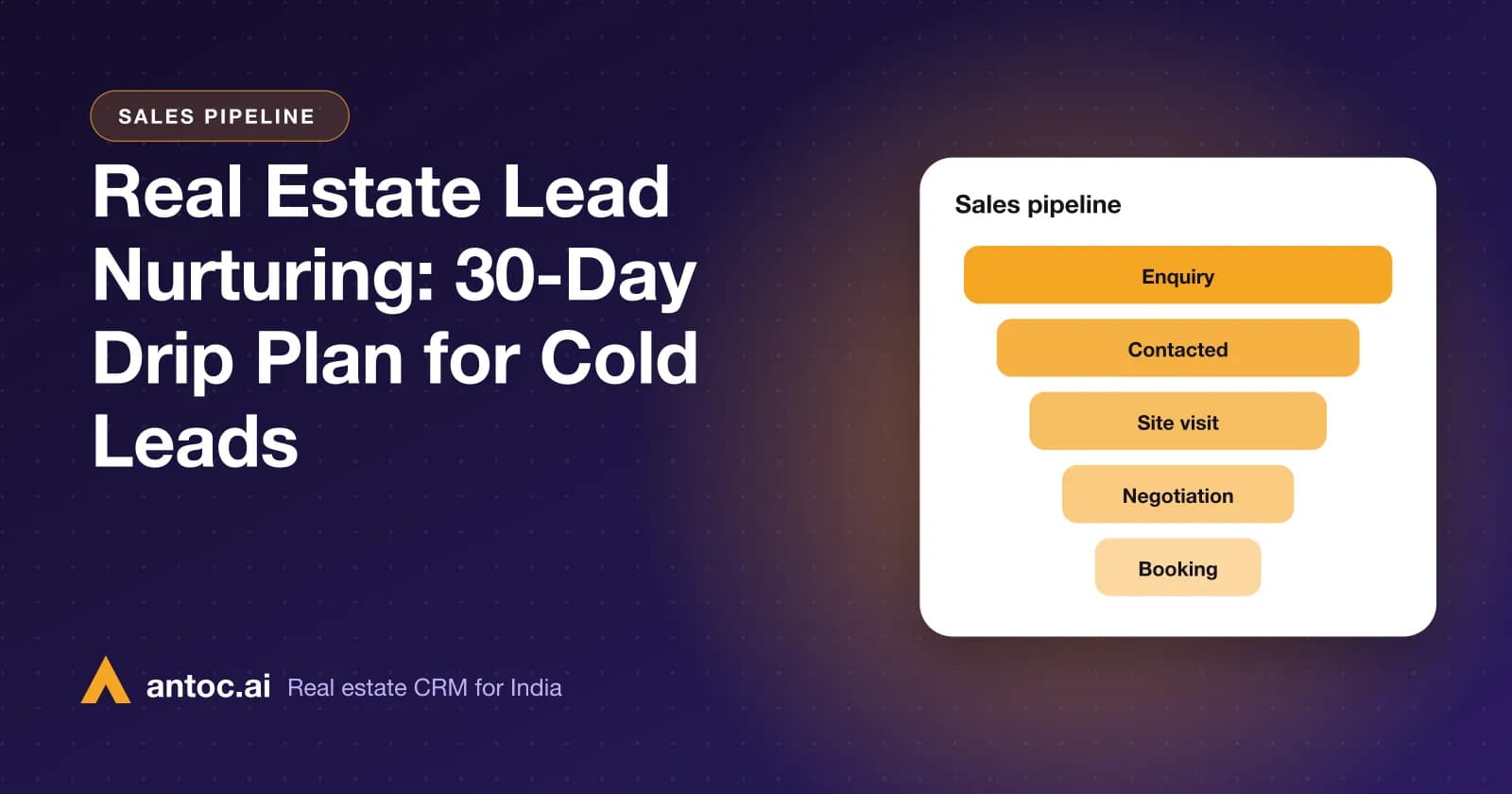
Real estate lead nurturing is a planned series of useful touches, on WhatsApp, calls and SMS, that keeps cold leads warm until they are ready for a site visit. The 30-day drip plan below gives you a day-by-day schedule, message ideas, stop and escalation rules, and a way to run it from your CRM without relying on memory.
This is for brokers and sales managers sitting on hundreds of leads that didn't pick up, said "will think about it", or went quiet after a brochure. Those leads were paid for. A nurture plan is how you get value from them without annoying anyone.
Real estate lead nurturing is a planned series of useful messages and calls that keeps cold leads warm until they are ready to visit. A 30-day plan with about a dozen touches, clear stop rules and CRM reminders works for most teams.
- Nurture cold leads with useful information, not repeated 'any update?' messages.
- Plan about a dozen touches over 30 days across WhatsApp, calls and SMS.
- Stop on 'not interested'; escalate to an agent on any reply or click.
- Use CRM reminders so every touch has an owner and a date.
Why cold leads deserve a plan, not a random reminder
Most property buyers are not ready on the day they enquire. Some are six months from a decision, some are waiting for a bonus or a loan sanction, and some are comparing three localities. If your only follow-up is "Sir, any update?" every few days, they stop replying.
Nurturing changes the question from "Are you buying?" to "Here is something useful." New inventory, a price revision, a locality comparison, a weekend site visit slot. Each touch earns the right to the next one.
A plan also protects you from the opposite problem: leads that nobody touches again because the agent moved on to fresh enquiries. Our real estate CRM guide explains how nurture fits into the full lead journey.
Which leads go into the 30-day plan
Not every lead belongs in a drip. Sort first:
| Lead status | Put in 30-day plan? | What to do instead |
|---|---|---|
| New lead, not yet contacted | No | Call and WhatsApp immediately |
| Contacted, interested, visit pending | No | Book the visit; daily follow-up |
| Contacted, "will decide later" | Yes | Start the plan from Day 1 |
| Not picking up after 3–4 attempts | Yes | Start the plan, WhatsApp-heavy |
| Visited, not booked yet | Yes, with a post-visit version | Personal follow-up plus plan |
| Budget doesn't fit current inventory | Yes, with different projects | Share matching options only |
| Said "not interested" or "already bought" | No | Mark lost with a reason |
| Wrong number or broker posing as buyer | No | Mark junk and flag the source |
The 30-day drip plan
Use this as a starting template. Adjust the message ideas to your projects and city. Days are counted from when the lead enters the plan.
| Day | Channel | Message idea | Goal |
|---|---|---|---|
| 1 | "Hi {{name}}, sharing the brochure and location of {{project}} you asked about. Happy to answer any question." | Re-open the conversation | |
| 2 | Call | Short check-in: "Did you get a chance to see the brochure? Which configuration suits your family?" | Qualify BHK and budget |
| 4 | Floor plan of the configuration they asked about, with carpet area | Give something concrete | |
| 6 | SMS | "{{name}}, weekend site visits at {{project}} are open. Reply YES and we'll call to book." | Reach non-WhatsApp readers |
| 8 | Locality guide: schools, metro or highway access, hospitals nearby | Build confidence in the area | |
| 10 | Call | Invite for a specific Saturday or Sunday slot | Book a visit |
| 13 | Construction progress photos or a short walkthrough video | Show the project is real | |
| 16 | Two matching units in their budget with price and floor | Make the choice easy | |
| 19 | Call | "Prices for the next phase are being revised; would you like to see the current ones?" (only if true) | Create a genuine reason to act |
| 22 | Loan explainer: approved banks, EMI example, documents needed | Remove a buying blocker | |
| 25 | SMS | Reminder of visit slots this weekend | Second visit nudge |
| 28 | "Should I keep sending you updates on {{project}}, or are you looking at something else now?" | Ask for permission or a new brief | |
| 30 | Call | Final personal call by a senior agent or manager | Recover or close the loop |
That is 13 touches over 30 days: eight on WhatsApp, three calls and two SMS. Notice the gaps widen as the month goes on.
Want to see this on your own leads? Book a free Antoc demo.
Rules to stop, pause or escalate
A nurture plan without rules turns into spam. Write these down and train your team on them.
Stop the plan immediately when:
- The buyer says "not interested", "stop" or "already bought".
- The number is wrong or belongs to another broker.
- The buyer asks for a different channel only, such as "only call, don't message".
Escalate to an agent the same day when:
- The buyer replies to any message, even with a question mark.
- They ask about price, availability, loans or a visit slot.
- They forward a family member's number or ask to share with a spouse.
Pause and re-plan when:
- The buyer says "call after Diwali" or "after my transfer". Set a reminder for that date and pause.
- Their budget or BHK has changed. Restart the plan with matching inventory.
Every stop should be marked in the CRM with a lost reason. Over a few months, those reasons tell you which sources and projects produce leads that never convert.
How to run the plan in your CRM
1. Create a "Nurture" stage or tag
Move leads into it only when they meet the criteria in the first table. This keeps your active pipeline clean.
2. Save the plan's messages as templates
Store each WhatsApp message as a template and each SMS as a DLT-registered template. Agents should never retype them.
3. Set reminders for each touch
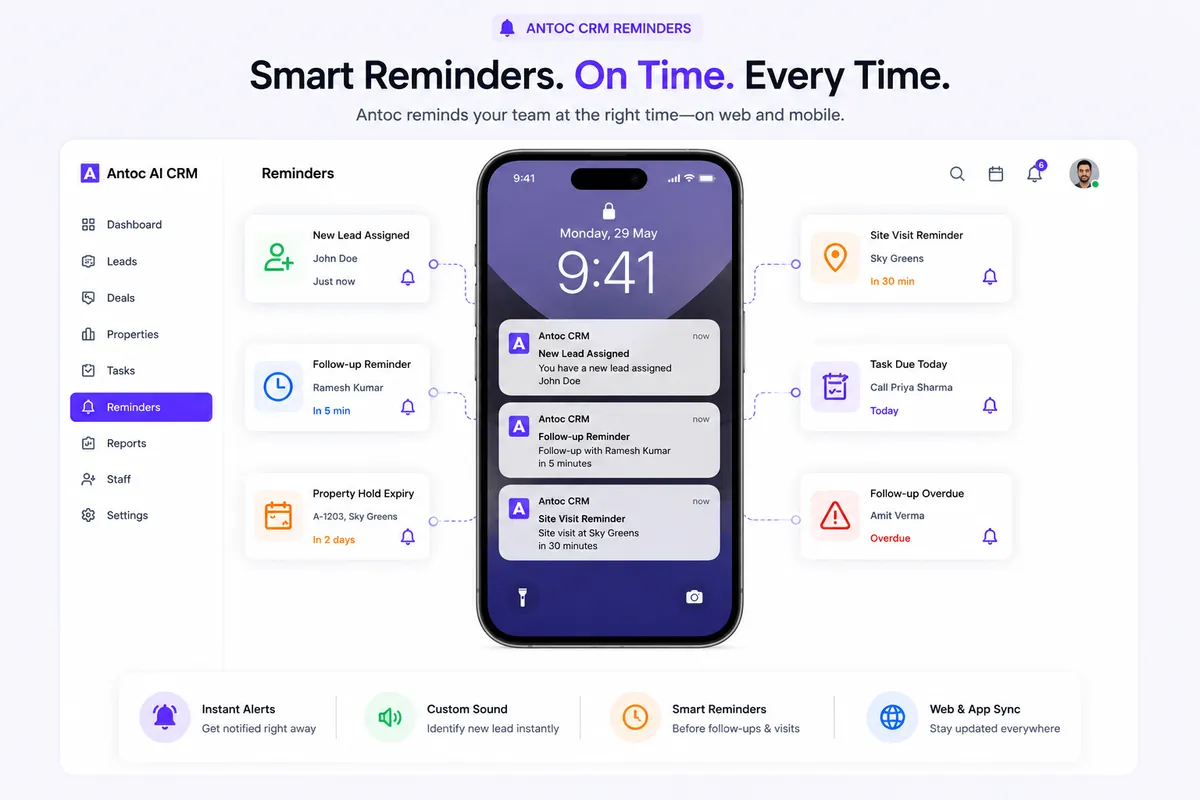
Each call and personal message gets a dated reminder for the lead owner. In Antoc, follow-up reminders arrive on web and mobile with custom sounds, so due touches don't get buried.
4. Use broadcasts for the group touches
Days like the construction update or weekend visit invite can go as WhatsApp broadcasts to everyone in the plan, using approved templates and only to opted-in buyers.
5. Keep every reply on the lead
When replies land on the lead timeline, the agent sees the full history before calling. That is what makes the Day 30 manager call useful rather than awkward.
6. Review the plan weekly
Check how many leads replied, how many booked visits and which days produce the most replies. Drop or rewrite messages that never get a response.
Make each touch useful
The difference between nurture and nagging is content. Good nurture material for Indian property buyers:
- Floor plans with carpet area, not just renders.
- Location pins and drive times to offices, schools and stations.
- Construction progress photos with dates.
- Loan and EMI explainers with approved banks.
- RERA registration details and approval status.
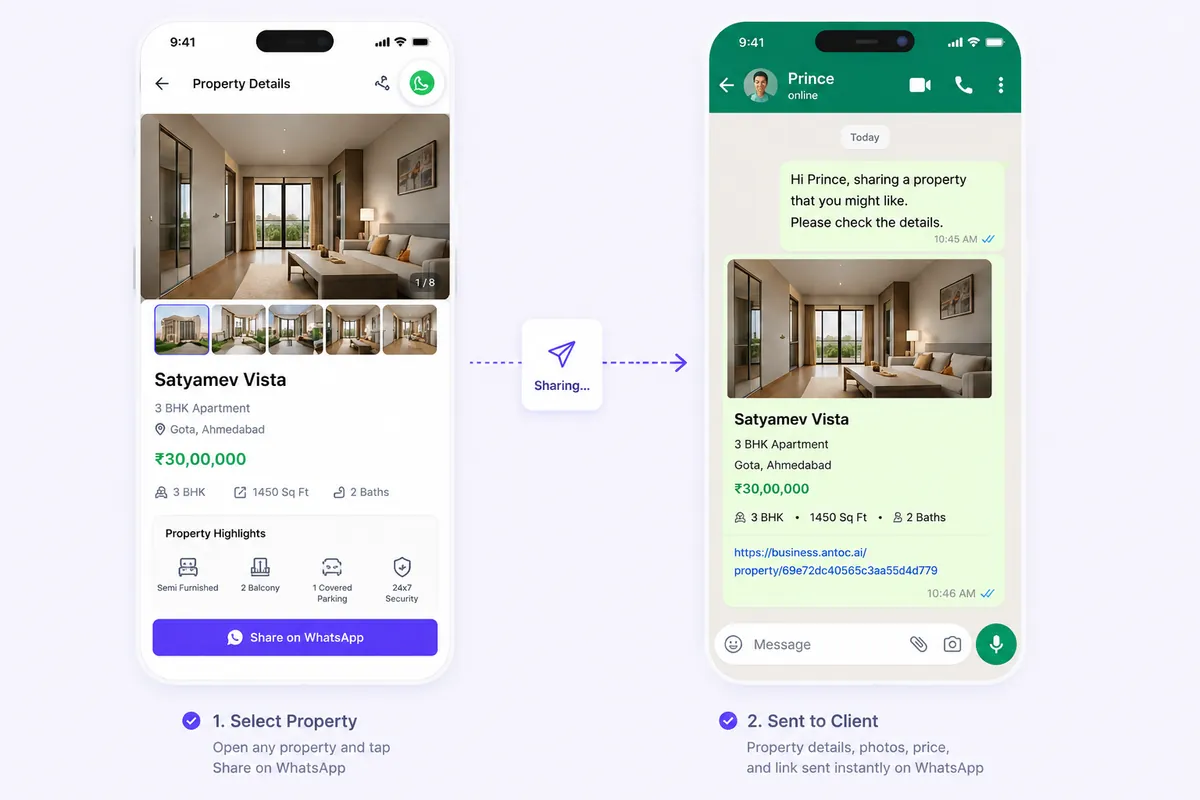
- Matching units shared from your inventory, with price and floor.
How to write one good nurture message
Every message in the plan should pass the same simple test. Use these steps when you write or rewrite a touch:
- Start with the buyer's name and their project or requirement, so it never reads like a mass forward.
- Give one new piece of information: a floor plan, a price, a photo, a date. One, not five.
- Keep it under five lines so it reads fully in the WhatsApp preview.
- End with one easy question, such as "Shall I share the 2 BHK east-facing options?" rather than "Let me know".
- Check the facts against the approved price list and brochure before saving it as a template.
- Read it aloud. If it sounds like an advertisement, rewrite it to sound like an advisor.
The post-visit version of the plan
Leads who have already visited are not cold; they are undecided. They need a shorter, more personal plan, run by the agent who met them:
- Same evening: thank them, share the exact unit and cost sheet discussed.
- Day 2: call to answer family questions, often from a spouse or parents who weren't at the site.
- Day 5: share a comparable unit or floor if they had a concern about the first one.
- Day 9: offer a second visit with family, or a meeting with the sales manager.
- Day 14: ask directly what is stopping the decision, and record the answer as a reason in the CRM.
After Day 14, move them into the main 30-day plan with content focused on their stated concern, such as loan eligibility or possession timeline.
Measuring whether the plan works
Track the plan with three simple formulas, using your own numbers rather than any outside benchmark:
- Reply rate = leads who replied at least once ÷ leads who entered the plan.
- Revival rate = leads who booked a site visit ÷ leads who entered the plan.
- Touch performance = replies to a specific day's message ÷ times that message was sent.
Review touch performance monthly. Replace the two weakest messages with new ones and keep the strongest.
An illustrative example in ₹
The figures below are made up to show the maths; use your own numbers.
A Bengaluru broker has 400 cold leads from the last three months. Say, from their own records, each lead cost around ₹1,200 to acquire across portals and Meta ads. That is ₹4,80,000 of spend sitting in the "no response" pile.
If the 30-day plan revives even a small number into site visits, and one of those books a ₹90 lakh apartment at 2% brokerage, the commission is ₹1,80,000. The plan costs agent time and some WhatsApp and SMS charges; check current rates with your providers. The point is not a guaranteed return; it's that leads already paid for get a structured second chance.
Common mistakes
- "Any update?" messages. They give the buyer nothing and teach them to ignore you.
- Same message to everyone. A 3 BHK investor and a 1 BHK first-time buyer need different content.
- Daily messages for a month. Too frequent, and buyers block the number.
- No stop rule. Continuing after "not interested" damages your brand and your WhatsApp quality rating.
- Fake urgency. "Last 2 units" when it isn't true destroys trust once the buyer visits.
- Plan lives in an agent's head. When they're on leave, the plan stops.
- Not recording lost reasons. You keep buying the same bad leads.
After Day 30
Leads who never replied move to a slow list: one useful message a month, such as a new launch, a festive offer or a price revision. Leads who replied but aren't ready get a personal reminder for the date they gave.
For the message wording itself, see our real estate lead follow-up scripts. For choosing between WhatsApp and SMS for group touches, read WhatsApp broadcast vs bulk SMS. And to see how nurture connects with capture, assignment and reporting, start from the real estate CRM overview.
Read next
Frequently asked questions
What is lead nurturing in real estate?
Lead nurturing in real estate is a planned sequence of messages and calls sent to leads who are not ready to buy yet. Instead of chasing them for a decision, you send useful material such as new inventory, locality guides, price updates and site visit invitations, so that when they are ready, your team is the one they call.
How long should you nurture a real estate lead?
Property decisions can take weeks or months, so nurturing should not stop after one week. A focused 30-day plan is a practical start. After that, move unresponsive leads to a slower monthly touch, such as a new launch update or festive offer, until they reply, buy elsewhere or ask you to stop.
Which channel is best for nurturing property leads in India?
WhatsApp is usually the main channel because buyers read it and can share brochures with family. Calls work for important moments such as a site visit invite or a price change. SMS is useful as a backup for buyers who don't reply on WhatsApp. Use templates approved for WhatsApp and registered DLT templates for SMS.
How many follow-ups should I send a cold lead?
There is no fixed number that suits every team, so test your own. A 30-day plan with roughly ten to fourteen touches, spaced further apart as the month goes on, is a reasonable start. What matters more than count is that each message gives the buyer something new and that you stop when they ask.
When should I stop following up a real estate lead?
Stop immediately if the buyer says they are not interested, asks you to stop messaging, has already bought elsewhere, or the number is wrong. Mark the lead lost with a reason in your CRM. For silent leads, stop the active plan after 30 days and move them to a low-frequency list rather than deleting them.
Can a CRM automate a real estate nurture plan?
Partly. A CRM can schedule reminders, store templates, run WhatsApp broadcasts and keep every reply on the lead record. Calls and personal messages still need a human. In Antoc, follow-up reminders on web and mobile and official WhatsApp API automation where enabled handle the timing, so agents just act on what is due.
Bring one real lead source. We'll show you the floor.
Book a free demo and bring one source — Meta, 99acres or a CP WhatsApp group. We'll set it up on a lead in front of you.
We build Antoc for Indian brokers and developers, from Pasadi Technologies Pvt Ltd in Ahmedabad. These articles come from patterns we see on real sales floors.