On this page
Junk leads in real estate, especially from property portals, can be cut by defining what junk means for your team, tagging every bad lead with a standard lost reason, catching duplicates by phone number, and qualifying each enquiry on the first call. Then fix or drop the listings and sources that keep producing bad enquiries.
This guide is for broker-owners and marketing leads who pay for 99acres, MagicBricks, Housing.com or OLX listings and hear the same complaint every Monday: "Sir, portal leads are all junk."
Cut junk portal leads by defining what junk means, tagging every bad lead with a lost reason, catching duplicates by phone number and qualifying on the first call. Then fix or drop the listings and sources that keep producing bad enquiries.
- Many leads called junk are really slow follow-up; audit before blaming the portal.
- Tag every disqualified lead with one standard lost reason.
- Match duplicates on phone number before assigning leads to agents.
- Compare portals on cost per site visit, not on junk percentage.
First, check whether your leads are really junk
Before you blame the portal, check your own process. A buyer who enquired at 10 am and got a call at 6 pm has probably spoken to four other brokers. When your agent finally calls, the buyer says "not interested" and the lead gets marked junk.
That is not a junk lead. It is a lost lead.
The difference matters because the fixes are different. Junk leads need better listings, qualification and source decisions. Lost leads need faster response and better follow-up. If you mix them up, you will cut a portal that was actually working.
Types of junk leads and how to handle each
Use the same names for these types across your team, so every closed lead can be counted properly.
| Junk type | How to spot it | Likely cause | What to do |
|---|---|---|---|
| Wrong or invalid number | Number does not exist or belongs to someone else | Typo, fake entry, bot | Try WhatsApp once, then close as "invalid number" |
| Not reachable | Switched off or never answers after several attempts | Casual enquiry, wrong timing | Set a fixed attempt rule, then close as "not reachable" |
| Broker posing as buyer | Asks about brokerage, owner number, your inventory | Competitors checking listings | Close as "broker, not buyer"; add a CP route if useful |
| Duplicate | Same phone number already exists as a lead | Buyer enquired on several listings or portals | Merge into one lead, keep all sources |
| Looking for rent | Wants rental on a sale listing | Portal search mix, unclear listing | Close as "rent"; refer to a rental desk if you have one |
| Out of budget | Budget far below the listed price | Vague or missing price on listing | Offer a cheaper option or close as "budget" |
| Wrong location or configuration | Wants a different area or BHK | Listing tags too broad | Match other inventory or close with that reason |
| Seller, not buyer | Wants to list their own property | Enquiry button used to contact you | Move to seller pipeline, not junk |
| Already bought | Bought elsewhere before your call | Slow response or long gap | Close as "already bought" and check response time |
Two of these are not really junk. "Seller, not buyer" is a different opportunity. "Already bought" is usually a speed problem on your side.
Run a 50-lead junk audit
Before changing anything, find out what your junk actually is. This takes one afternoon.
- Pick the last 50 portal leads marked junk, not interested or closed.
- Check first response time for each: lead created time versus first call or WhatsApp.
- Listen to or read the first conversation where you have a call log, note or chat.
- Assign each lead one junk type from the table above.
- Count by type and by portal or listing.
- Separate speed problems from source problems. Leads called late and lost are a process issue.
- Pick the top two causes and fix only those this month.
You will often find that one or two listings produce most of the out-of-budget or rental enquiries, and that a chunk of "junk" was called too late. For how to measure and shorten that delay, see our guide on real estate lead response time.
Want to see this on your own leads? Book a free Antoc demo.
Qualify in the first two minutes
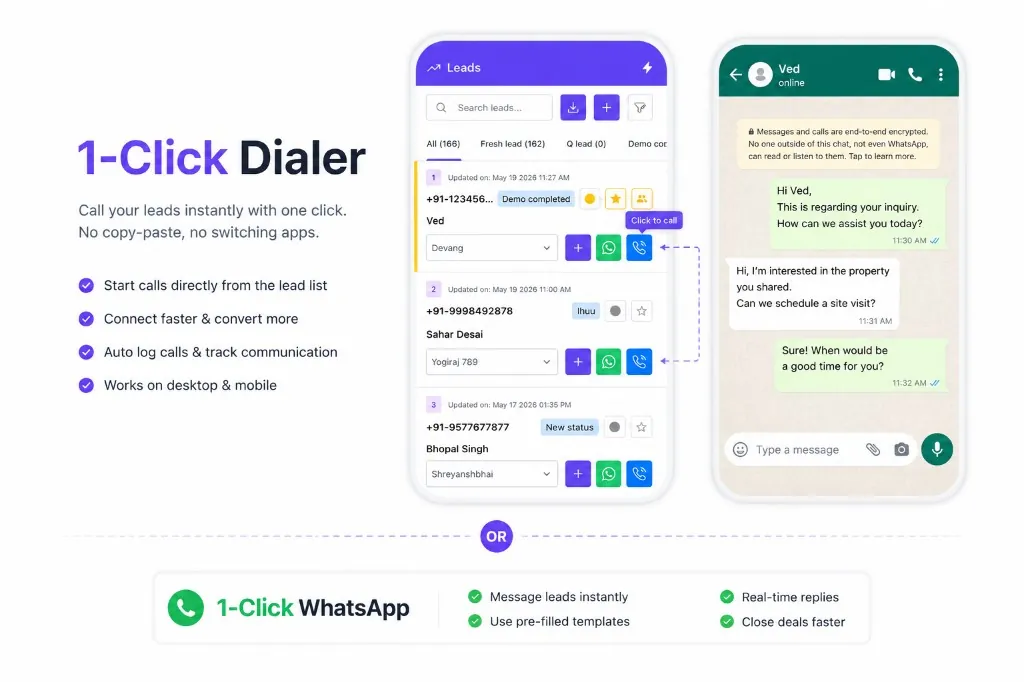
A good first call sorts genuine buyers from junk quickly without sounding like a checklist. Train agents on a short flow:
- "I'm calling about your enquiry for the 2 BHK in Satellite. Are you looking to buy or rent?"
- "What configuration and budget range are you considering?"
- "Is this for your family's own use or an investment?"
- "Which other areas are you looking at?"
- "When are you hoping to finalise?"
- "Would this weekend work for a quick visit?"
Brokers posing as buyers usually stumble on the family-use and timeline questions. Genuine out-of-budget buyers can be offered a better-matched property instead of being closed. Record answers in the CRM, not on paper, so they travel with the lead.
Set an attempt rule for unreachable leads
"Not reachable" is the biggest grey area. One agent closes a lead after a single missed call; another keeps calling for three weeks. Neither is right, and it makes your junk numbers meaningless.
Agree a fixed rule, for example:
- Day 1: call within minutes of the enquiry, send a WhatsApp introduction, call again in the evening.
- Day 2: one call in the morning and one after office hours.
- Day 3 to 5: one call a day at different times, plus a WhatsApp with the property details.
- After that: close as "not reachable" and move to a slow nurture list.
An instant WhatsApp welcome also works as a number check. If the message is never delivered and calls fail, the number is likely invalid. If the buyer replies on WhatsApp but never picks up calls, they are not junk; they simply prefer chat.
Handle brokers posing as buyers calmly
Brokers enquiring on your listings is normal in Indian markets. Some want to co-broke, some are checking your prices. Do not spend an hour on them, but do not burn the bridge either.
When the first call makes it clear the caller is a broker, close the lead as "broker, not buyer" so it does not distort your buyer numbers. If you work with sub-brokers or channel partners, move them into that separate process with clear terms on lead ownership and brokerage. Keep them out of your buyer pipeline and your conversion reports.
Catch duplicates before they reach two agents
Portal buyers often enquire on several listings, or on the same project across two portals. Without a check, two agents call the same buyer, both pitch, and the buyer gets annoyed.
Use phone number as the unique key. When a new enquiry arrives with a number already in your CRM:
- Add the new enquiry to the existing lead instead of creating a fresh one.
- Keep every source and listing on that lead, so you know which portals the buyer used.
- Alert the existing owner that the buyer has enquired again. A repeat enquiry is a buying signal, not junk.
Check how your CRM handles duplicates for your account before relying on it. If you use Antoc, confirm the setup with Antoc support when portals are enabled.
Track lost reasons to cut bad sources
Lost reasons turn complaints into data. Keep the list short and fixed:
- Invalid number
- Not reachable after the attempt rule
- Broker, not buyer
- Looking for rent
- Out of budget
- Wrong location or configuration
- Duplicate
- Already bought
- Not interested (genuine, after a real conversation)
Every month, look at lost reasons by portal and by listing. If one listing keeps producing "out of budget", its price is probably missing or misleading. If one portal is heavy on "broker, not buyer", check how your listing appears there.
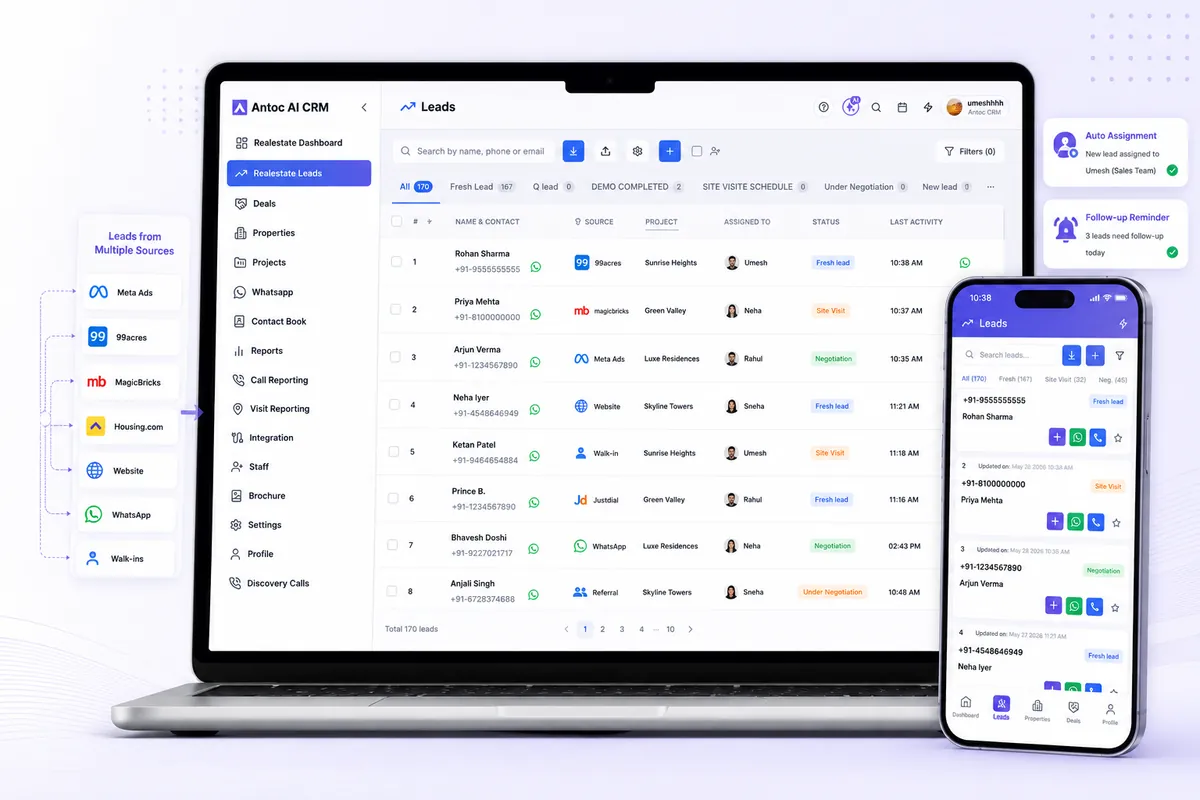
Antoc's lead management captures portal leads from 99acres, MagicBricks, Housing.com and OLX as enabled for your account, with source and listing context kept on each lead. You can see all supported sources on our integrations page.
Illustrative example in ₹: junk percentage vs cost per visit
This is an illustrative example with simple maths, not portal data. A Mumbai broker pays for two portals.
| Portal A | Portal B | |
|---|---|---|
| Monthly spend | ₹50,000 | ₹40,000 |
| Leads received | 200 | 120 |
| Leads tagged junk | 60 (30%) | 50 (about 42%) |
| Site visits done | 6 | 8 |
| Cost per lead | ₹250 | ₹333 |
| Cost per site visit | ₹8,333 | ₹5,000 |
On junk percentage, Portal B looks worse. On cost per site visit, Portal B is clearly better. Cutting it based on agent complaints would have cost the firm its cheapest visits.
The broker's real fix is on Portal A: the audit shows many leads there came from one listing with "price on request", producing out-of-budget enquiries. Adding a price range to that listing is the first experiment. For a deeper comparison method, read 99acres vs MagicBricks vs Housing.com.
Fix the listing, not just the lead
Many junk leads are created by the listing itself. Small changes reduce them:
- Show a price or price range. "Price on request" invites every budget.
- Use the correct locality and sub-locality. Broad tags pull in buyers who wanted somewhere else.
- Mark sold or rented units promptly. Old listings create angry, wasted calls.
- State sale or rent clearly in the title and first line.
- Use real photos and the right configuration. Mismatched photos lead to disappointed buyers and fake interest.
- Mention possession status. Ready-to-move and under-construction attract different buyers.
Change one thing per listing at a time and watch its lost reasons for the next few weeks. If "out of budget" falls after you add a price range, keep the change. If nothing moves, the problem is probably the portal's audience for that locality, and the spend may be better used elsewhere. Portal account managers can sometimes help with listing placement and tagging, so ask yours what options are available on your package.
Common mistakes
- Calling every lost lead junk. Late calls lose buyers; fix speed before cutting sources.
- No standard lost reasons. Free-text notes like "useless" cannot be counted or compared.
- Judging portals on junk percentage. Cost per site visit and cost per booking are what pay salaries.
- Letting duplicates reach two agents. It confuses the buyer and wastes calls.
- Closing out-of-budget buyers too fast. Many are a good match for another property you hold.
- Leaving stale listings live. Sold units keep generating enquiries that go nowhere.
Make junk visible, then shrink it
You will never get junk to zero on property portals. The goal is to spot it fast, close it with a reason, and stop paying for the listings and sources that produce it most.
Start with the 50-lead audit, add standard lost reasons, and review them by source every month. If portal leads still reach your team through manual downloads, fix that first; our guide on capturing 99acres leads automatically into your CRM explains what should sync. To bring 99acres, MagicBricks, Housing.com and other sources into one list with source intact, explore Antoc's lead source integrations.
Read next
Frequently asked questions
Why do property portals send so many junk leads?
Portals make enquiring very easy, so casual browsers, people searching for rentals, other brokers and buyers outside your budget all reach you. Listings with vague prices, wrong localities or sold units attract more of them. Some leads also look junk only because they were called hours later, when the buyer had moved on.
How do I identify a broker posing as a buyer?
Common signs are questions about brokerage, the owner's number, how many units you hold or whether you work with other brokers, very little interest in their own family's needs, and the same number enquiring on many unrelated listings. Ask about their own requirement and timeline early; genuine buyers answer easily.
What qualification questions should I ask a portal lead?
Keep it to a few: whether they are buying or renting, the configuration they need, their budget range, the areas they are considering, when they plan to finalise and whether the purchase is for self-use or investment. Ask in a natural conversation within the first two minutes, then record answers in the CRM.
How does a CRM help with duplicate leads?
A CRM can match new enquiries to existing leads by phone number, so the same buyer enquiring on two portals or two listings is not called by two agents. Check how your CRM handles duplicates for your account, and keep every enquiry's source on the lead so you still know which portals the buyer used.
Should I stop using a portal that sends junk leads?
Not on junk percentage alone. A portal with more junk may still produce cheaper site visits if its genuine leads convert better. Compare portals on cost per site visit and cost per booking from your CRM over at least a couple of months, and try fixing your listings before cutting a source.
What lost reasons should real estate teams track?
Use a short, fixed list: wrong or invalid number, not reachable after several attempts, broker or not a buyer, looking for rent, out of budget, wrong location or configuration, duplicate, already bought, and not interested. Agents pick one when closing a lead, and managers review the mix by source each month.
Bring one real lead source. We'll show you the floor.
Book a free demo and bring one source — Meta, 99acres or a CP WhatsApp group. We'll set it up on a lead in front of you.
We build Antoc for Indian brokers and developers, from Pasadi Technologies Pvt Ltd in Ahmedabad. These articles come from patterns we see on real sales floors.